Showing posts with label install. Show all posts

Wednesday, January 8, 2014

Rambling 2014/2 - Xubuntu 13.10 & SMB

Today I've installed Xubuntu 13.10 (64bit) on a new machine. All worked fine, but couldn't connect to our server via SMB. That felt quite painful as my home dir was saved on the server :)
After checking all usual things, it still did not work. Then came the solution from googling:
sudo apt-get install cifs-utils
That magically made everything work.
Now I wonder - the installer packed a gazillion of smb* packages on the hard disk, why did it not include this tiny one that made the whole stuff work?

Wednesday, March 14, 2012

Fun, fun, fun!

Some thoughts about the Bamboo table I've mentioned in the previous post.


The exact name is Bamboo CTH-470 Pen & table. It comes with Windows/OS X software on a CD and the manual resides there, too. But you know, I'm on the Linux side...

I've connected it via the USB port - and nothing happened. The table's LED lit up but no sign in Xubuntu that it had discovered any new hardware. But I was well-educated by that time, I knew I may be facing a 6-hour hard battle: http://ubuntuforums.org/showthread.php?t=1515562
However, the topic starts with a brilliant summary of what one should do, courtesy of user Favux, even though the summary alone may be a huge printing task, too. It also includes a link to download the table's driver for Ubuntu before trying to compile drivers, etc etc. So it boiled down to a simple install from a PPA. Thanks, Lekensteyn! Then I've also found another link about the tables and that description uses Lekensteyn's, too.

After installing from the PPA, and after a reboot, the table simply - worked. I've installed MyPaint and gave the table to my daughter - she could use it in one minute and now produces beautiful drawings each and every day. I did not have to explain the pen's rubber function at all, she just naturally used it once needed. She draws real abstract pictures, quite different from her real pencil drawings that always tell a story. You may think "oh sure the dad brags about her daughter painting" but it is in fact different. I brag about her drawing because that is one thing in life I've never been able to - best so far were stick figures :D

Thursday, June 30, 2011

Install Speed Dreams on Ubuntu

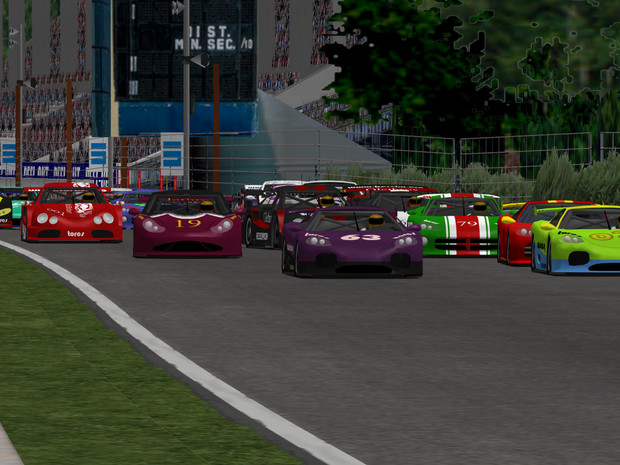
Following up of my TORCS install howto, today I'll tell you what I had to do to get Speed-Dreams up and working on a brand new, clean Ubuntu 11.04 (Natty Narval) install.
NB: I usually work on the trunk branch of Speed Dreams, using git-svn, but I think the download packages should work the same.


So this is what I've started with:

  • sudo apt-get install cmake libsdl1.2-dev libjpeg8-dev libxmu-dev

then made some links:

  • sudo ln -s /usr/lib/libGL.so.1 /usr/lib/libGL.so
  • sudo ln -s /usr/lib/libGLU.so.1 /usr/lib/libGLU.so
  • sudo ln -s /usr/lib/libXi.so.6 /usr/lib/libXi.so

(idea from here)


then downloaded and installed Plib the usual way (later I learned there is a plib-dev package in Ubuntu now...):

  • Visit the PLib download page.
  • Download the 1.8.5 version, then do as told: tar xzf plib-1.8.5.tar.gz
  • cd plib-1.8.5
  • ./configure
  • make
  • sudo make install
and then onto adding some more dev libs:

  • sudo apt-get install libopenal-dev libenet1-dev

At this point "cmake ." still wasn't happy, whining about some plib thingies. Quick googling led me to our own forum (khm) and launching cmake in interactive mode (cmake -i .) I was able to set the correct location of the PLib includes.
This was so satisfying that cmake agreed to complete 100%.


Now in the make phase I quickly faced the first problem, at about 9% of compiling. It missed some libplib*.so files in the /usr/lib directory. Noproblemo, linking is our friend (every other day):

  • sudo ln -s /usr/lib/libplibul.so.1 /usr/lib/libplibul.so
  • sudo ln -s /usr/lib/libplibsg.so.1 /usr/lib/libplibsg.so
  • sudo ln -s /usr/lib/libplibsl.so.1 /usr/lib/libplibsl.so
  • sudo ln -s /usr/lib/libplibjs.so.1 /usr/lib/libplibjs.so
  • sudo ln -s /usr/lib/libplibssg.so.1 /usr/lib/libplibssg.so
  • sudo ln -s /usr/lib/libplibssgaux.so.1 /usr/lib/libplibssgaux.so

And so it compiled at last...
Now I'm busy racing :)

Wednesday, January 20, 2010

10 years gone

I haven't been able to boot into my good ol' Win2K lately - I've used it only for running the invoicing software for at least 4 years now. But invoices cannot wait too much, so I had to do something about it.
The partition/opsys was listed nicely in the Grub2 menu but when choosing it I met with an ugly message:
error: invalid signature
Nothing more. Not too long, right? :)
Of course I tried googling it and have found quite some references, but most of them were pointing to this forum thread of Ubuntu Forums. I've read that thoroughly and tried every tip included there, but without any luck. So I decided to install a new(er) Windows (ugghhhh) and the invoicing software.
First I saved the MBR with
dd if=/dev/sda of=/mbr.bin -bs=512 -count=1
then installed WinXP easily, then I restored the MBR using 'dd' again (read in more detail here). All that was left was issuing
grub-update
and I was ready.

Windows 2000 - we have spent 10 years together, farewell thee...

Monday, September 21, 2009

Install TORCS on Ubuntu

I've got hold of a clean install Xubuntu 9.04 aka Jaunty Jackalope so I've decided to write down step-by-step what is needed to be able to build the latest TORCS version. I've done it many times now but never took time to note everything properly until now.
I hope you find the instructions below useful.

Method used
Brute force trial and error :) That is, you try to run TORCS's configure script and look at what it is complaining about. Then with the clever use of apt-cache search and dpkg -l and of course our good ol' friend grep you pick what is needed for real and you install that.
Below all the commands you must type in the mighty Terminal are in italics and follow the Ubuntu lifestyle of sudo-ing a lot.

Basics
  1. sudo apt-get install build-essential g++
Dependencies
  1. libpng: sudo apt-get install libpng12-dev
  2. the above also installs zlib1g-dev so zlib: OK
  3. OpenAL: sudo apt-get install libopenal-dev
  4. FreeGlut: sudo apt-get install freeglut3-dev - this pulls a lot of dependencies, too.
  5. X thingies: sudo apt-get install libxxf86vm-dev libxrender-dev libxrandr-dev
  6. ALUT: sudo apt-get install libalut-dev
  7. PLib: suxx, as Ubuntu Jaunty has only the 1.8.4c2 in the repo, so have to do some manual work here:
  • sudo apt-get install libxmu-dev libxi-dev
  • Visit the PLib download page.
  • Download the 1.8.5 version, then do as told: tar xzf plib-1.8.5.tar.gz
  • cd plib-1.8.5
  • ./configure
  • make
  • sudo make install
Now you have a working PLib1.8.5 so can go ahead. (If you accidentally get lost the FlightGear Wiki is a good place to look for help.)

TORCS
  1. Download torcs-1.3.1.tar.bz2 (the all-in-one package, about 200MB).
  2. Unpack it: tar xfvj torcs-1.3.1.tar.bz2
  3. cd torcs-1.3.1
  4. ./configure --prefix=/usr/local --x-libraries=/usr/lib
  5. make
  6. sudo make install
  7. sudo make datainstall
Finished!
You can play TORCS now by typing /usr/local/bin/torcs


Have fun! ;)